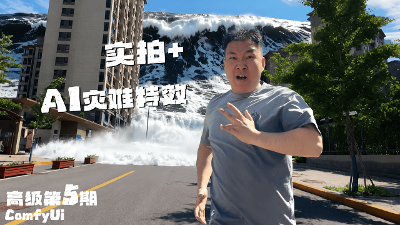

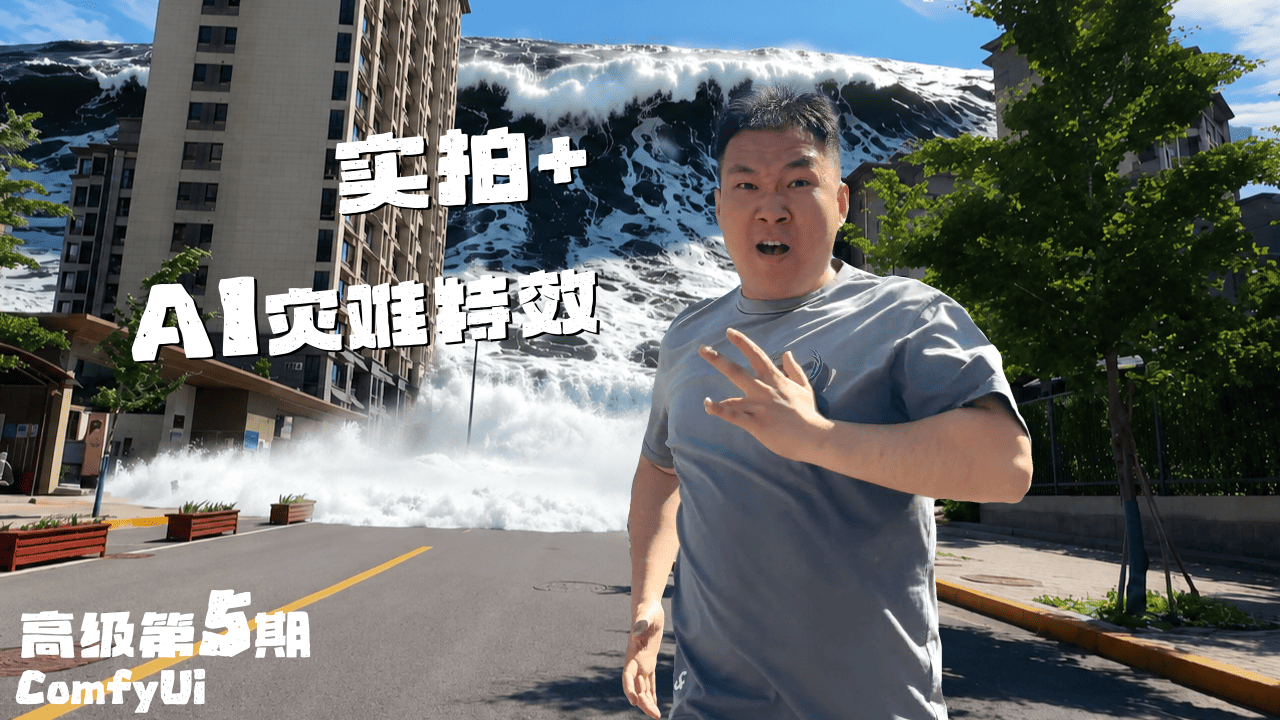
高级教程第5期:实拍视频 + ComfyUI特效,打造电影级灾难视觉镜头
这里是黑石宇的频道,第五期高级教程!
学习颠覆性的免费 AI 视觉特效工作流。
视频教程链接
感谢在B站,和我的博客,为我充电的同学支持我的创作!
联系我不要发私信,请发邮件并详细说明事由,谢谢!blackstonexinyu@gmail.com
本期工作流效果展示

巨浪效果
洪水效果1

洪水效果2

控水效果

不会写提示词的同学,建议使用大语言模型来生成!效果会更好!
参考:巨浪效果正向提示词(点击展开)
The giant tsunami spans the entire width of the frame from edge to edge. Vast ocean water fills both sides of the scene beyond the main wave. The horizon is dominated by a continuous ocean body instead of isolated water columns or localized waves.A gigantic tsunami surges into the city, an enormous mass of deep dark ocean water advancing between the buildings with overwhelming force. Massive turbulent seawater floods through the urban landscape, carrying immense weight, depth and momentum. The leading wave rises high above the streets with a broad natural crest, while vast volumes of ocean water continuously follow behind it. Endless dark seawater stretches beyond the main wave, creating the feeling that the entire ocean is invading the city. Violent ocean turbulence, powerful flood currents, chaotic water displacement and heavy rolling wave motion dominate the scene. Dense white foam forms naturally along the upper edges of the wave and across the turbulent water surface. Buildings are gradually swallowed by the advancing floodwaters as huge volumes of seawater surge through the streets. Realistic ocean texture, deep water volume, dynamic reflections, large-scale water movement, realistic hydraulic force, cinematic disaster atmosphere, catastrophic urban flooding, ultra realistic tsunami simulation, dramatic scale, immense pressure, realistic water depth, highly detailed seawater motion.
参考:巨浪效果反向提示词(点击展开)
vertical waterfall, water curtain, straight water wall, giant splash cloud, fluffy foam, smoke cloud, fog wall, mushroom shape wave, spherical wave, dome wave, curling surf wave, surfing wave, beach wave, shallow water, river water, puddles, cartoon water, anime style, transparent water, low detail fluid, static ocean, floating texture, cloud formation, mist explosion, blurry water surface, fantasy water, miniature scale
参考:洪水效果正向提示词(点击展开)
A violent urban flash flood suddenly bursts into the scene from the right side of the frame with tremendous force. A massive wall of deep flood water rapidly crashes across the entire foreground, instantly filling the lower half of the scene with dense turbulent water. The flood surge is powerful and heavy, with waist-high rushing water violently slamming against the concrete wall, pillars, and pavement. Large volumes of fast-moving flood water create explosive whitewater, chaotic foam, violent splashes, and swirling hydraulic currents throughout the flooded area. The deep water completely submerges the ground and rises halfway up the wall, creating strong depth and realistic water mass instead of a shallow surface layer. The flood behaves like a catastrophic urban drainage failure or dam-break surge, with thick heavy water aggressively expanding across the scene. Turbulent flood waves collide with the structures, producing realistic pressure, depth, momentum, and heavy water displacement. Dynamic reflections and distorted light shimmer naturally across the churning flood surface during the violent surge.
参考:洪水效果反向提示词(点击展开)
shallow water, thin water layer, ground puddles, flat flood water, weak flood, calm water, low flood level, transparent water, swimming pool water, ocean waves, gentle ripples, small splashes, clean vehicles, dry walls, unrealistic clean environment, CGI water, cartoon fluid, fake simulation, static water, frozen water motion, repetitive wave patterns, unrealistic reflections, floating artifacts, distorted vehicles, melted buildings, blurry hydraulic motion, low-pressure flood, weak momentum, surface water only, water only on pavement, low flood depth, toy-like flood, miniature effect, unrealistic fluid behavior
一、模型下载安装
此工作流程中使用的模型和节点
运行工作流之前,请确保下载所有必需的模型并安装自定义节点。
🟣 下载Diffusion Model
wan-14B_vace_skyreels_v3_R2V_e4m3fn_v1.safetensors [点击下载]
📁 存储路径: ComfyUI/models/diffusion_models/wan-14B_vace_skyreels_v3_R2V_e4m3fn_v1.safetensors
🟣 下载Lora Model
Phantom_Wan_14B_FusionX_LoRA.safetensors [点击下载]
📁 存储路径: ComfyUI/models/loras/Phantom_Wan_14B_FusionX_LoRA.safetensors
🟣 VAE Model
wan_2.1_vae.safetensors [点击下载]
📁 存储路径: ComfyUI/models/vae/wan_2.1_vae.safetensors
🟣 CLIP Model
umt5_xxl_fp8_e4m3fn_scaled.safetensors [点击下载]
📁 存储路径: ComfyUI/models/text_encoders/umt5_xxl_fp8_e4m3fn_scaled.safetensors
🧩 核心节点
### - [RES4LYF] 可增强图像修复和潜在图像采样指导功能的采样器。
二、工作流 (单批次 && 多批次)
我将工作流多次优化,最终难度中等,对新同学比较友好。
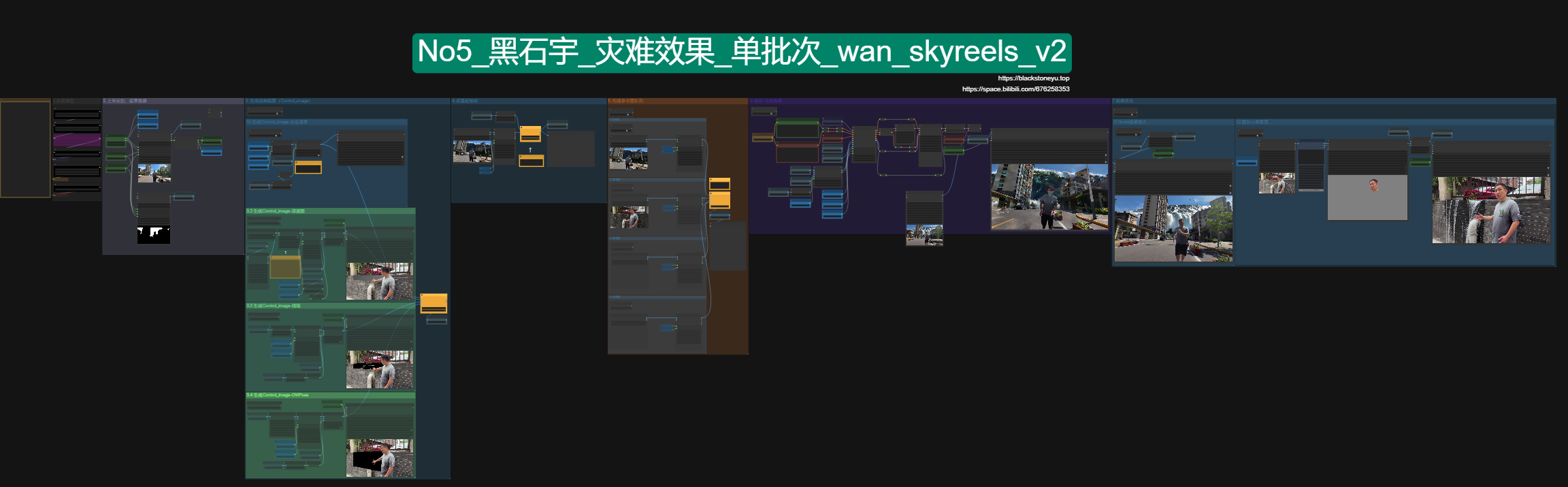
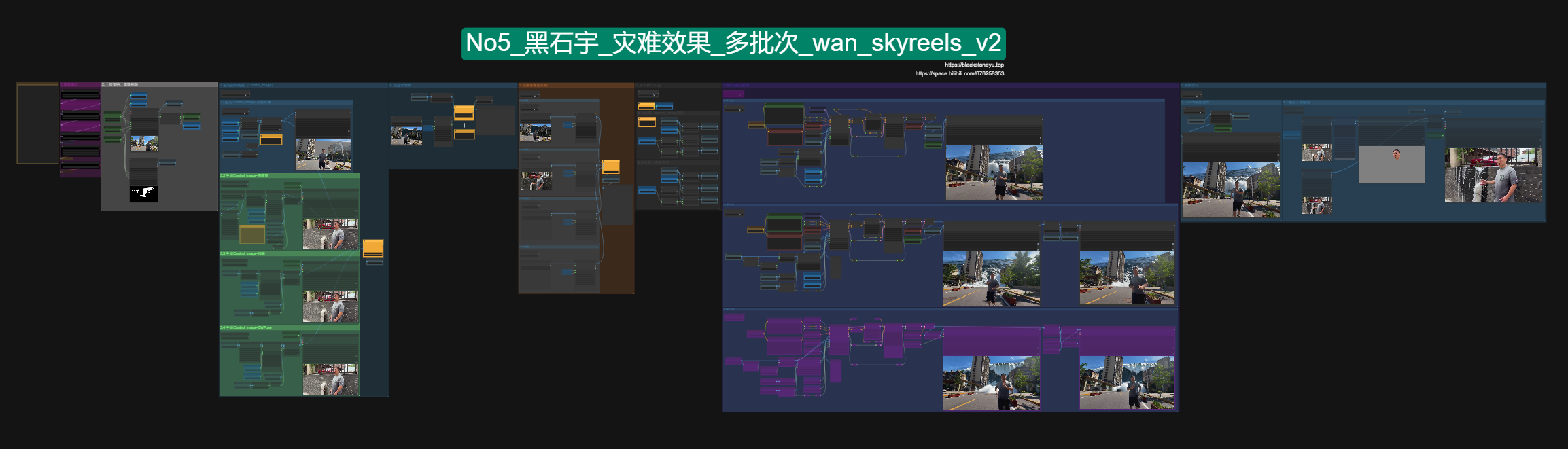
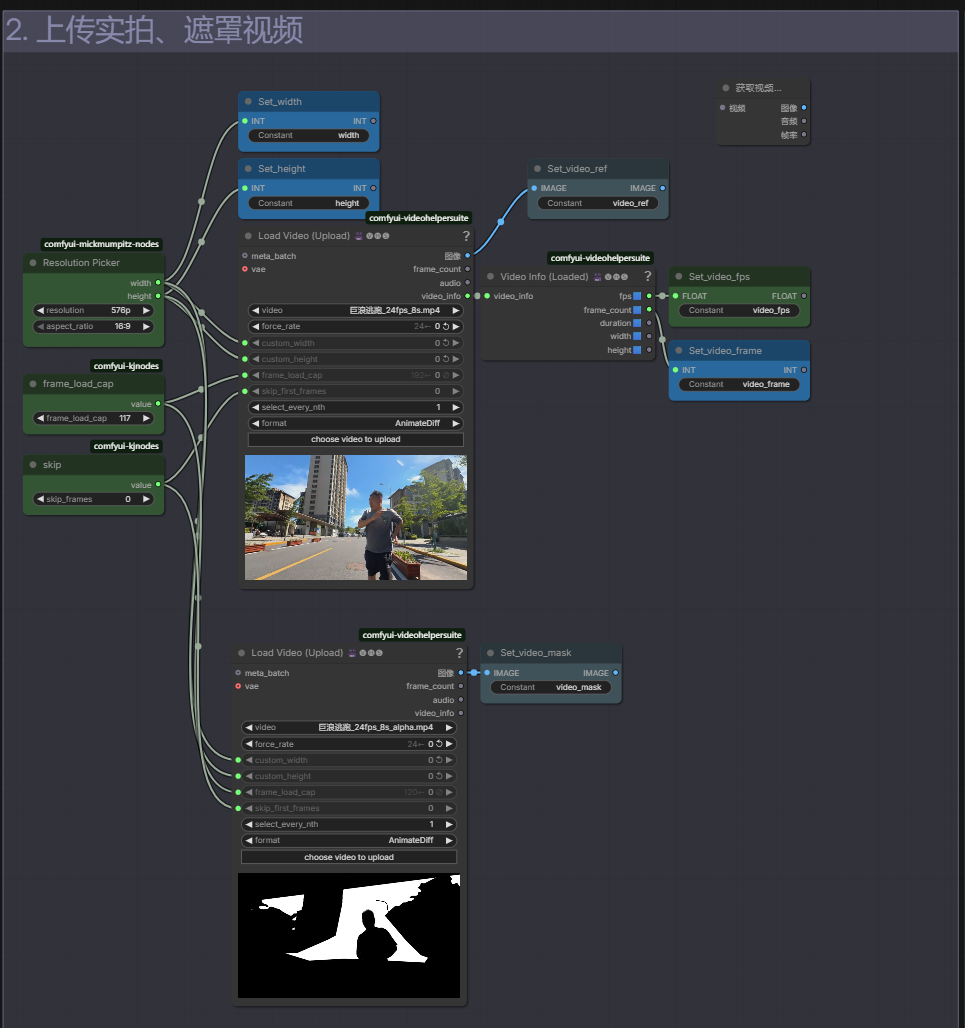
三、上传素材
第二组内容是上传实拍素材以及对应绘制的遮罩,内容比较简单,
上传拍摄的视频,选择要要生成的总帧数。
单批次工作流,最大支持121帧!帧率是24帧每秒,也就是生成的视频最长是5秒。
多批次工作流,最大支持361帧,帧率是24帧每秒。
遮罩绘制:
简单场景可以选择之前我讲解过的3D或者使用sam3插件。复杂一点的可以在adobe的AE中进行绘制!
复杂场景需要使用adobe ae来绘制,我在高级教程第一期中有详细讲过,想学习的同学们可以去看一下。
四、控制视图
本期核心功能是生成控制视图,也就是模型需要的controlimage参数。
它是vace模型的最重要的灵魂。这一组中提供了4中vace支持的格式。
我们用它来控制最终的生成效果!
如果你想做和我一样的巨浪灾难效果,那么直接选择灰度控制;
如果你想覆盖原有内容,并且保留细节,那么选择深度图或者线稿;
涉及到人物动作的话选择DWPose。
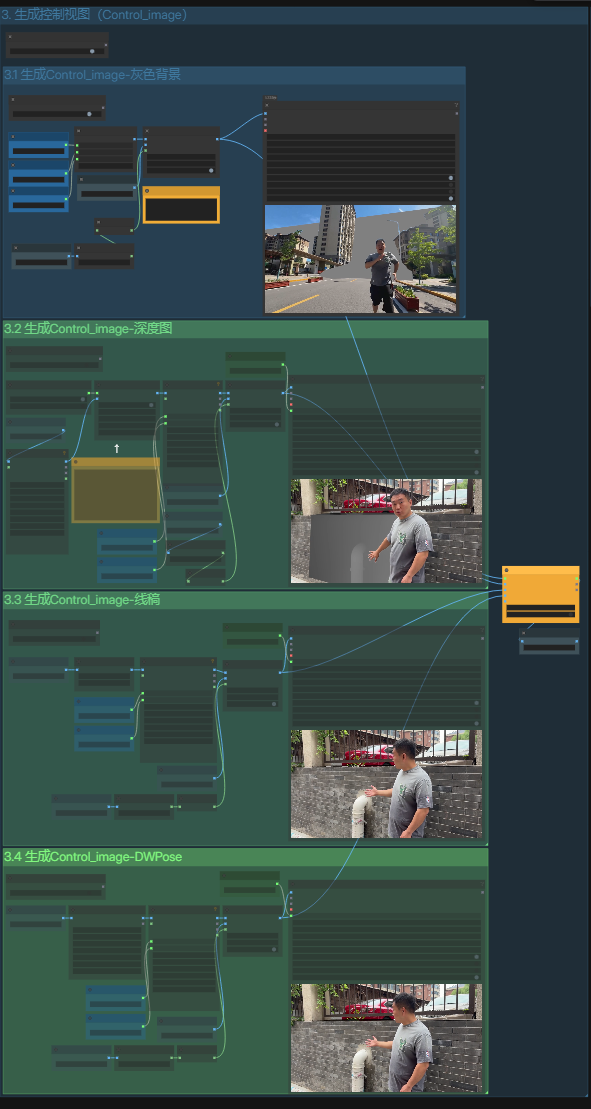
最后记得要在右侧黄色的切换节点中,对应选择要使用的控制方式。
五、参考图
同义万象模型再经过skyreels模型的结合后,理论上支持最多4张参考图。
参考图会用于模型需要的phantomimage参数,代表幻影参数的意思,幻影指的就是需要重绘的区域。
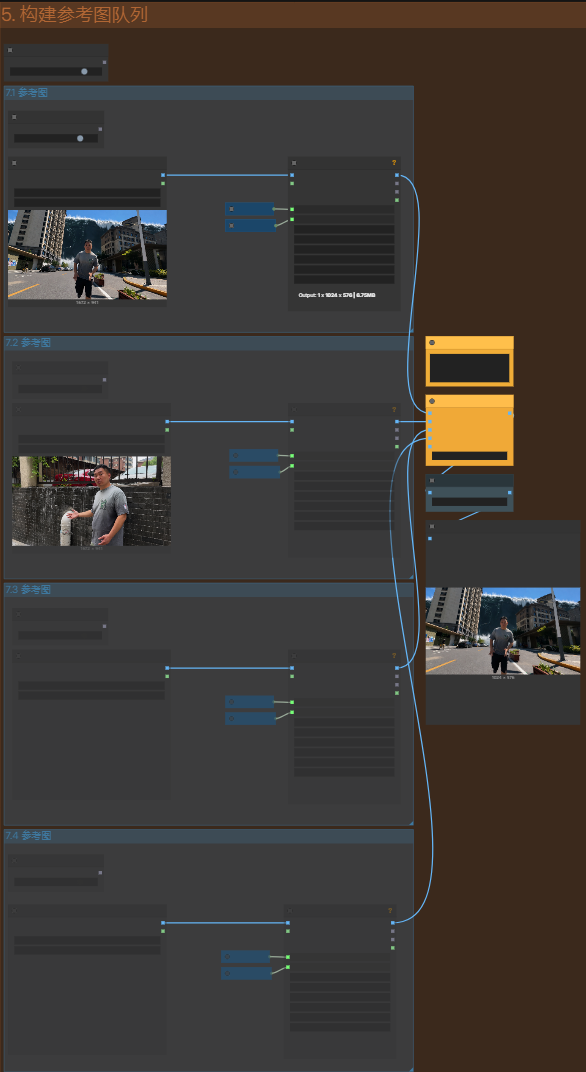
六、渲染
需要注意调整的参数是wanvacephantomsimpleV2节点,这里vace的strength参数,要根据实际情况调整,尤其是遮罩绘制的不好时,想让遮罩中的内容更偏向提示词,那么需要将强度调整的低一些,比如0.5、0.45, 正常情况下0.6~0.8之前是比较合适的选择。
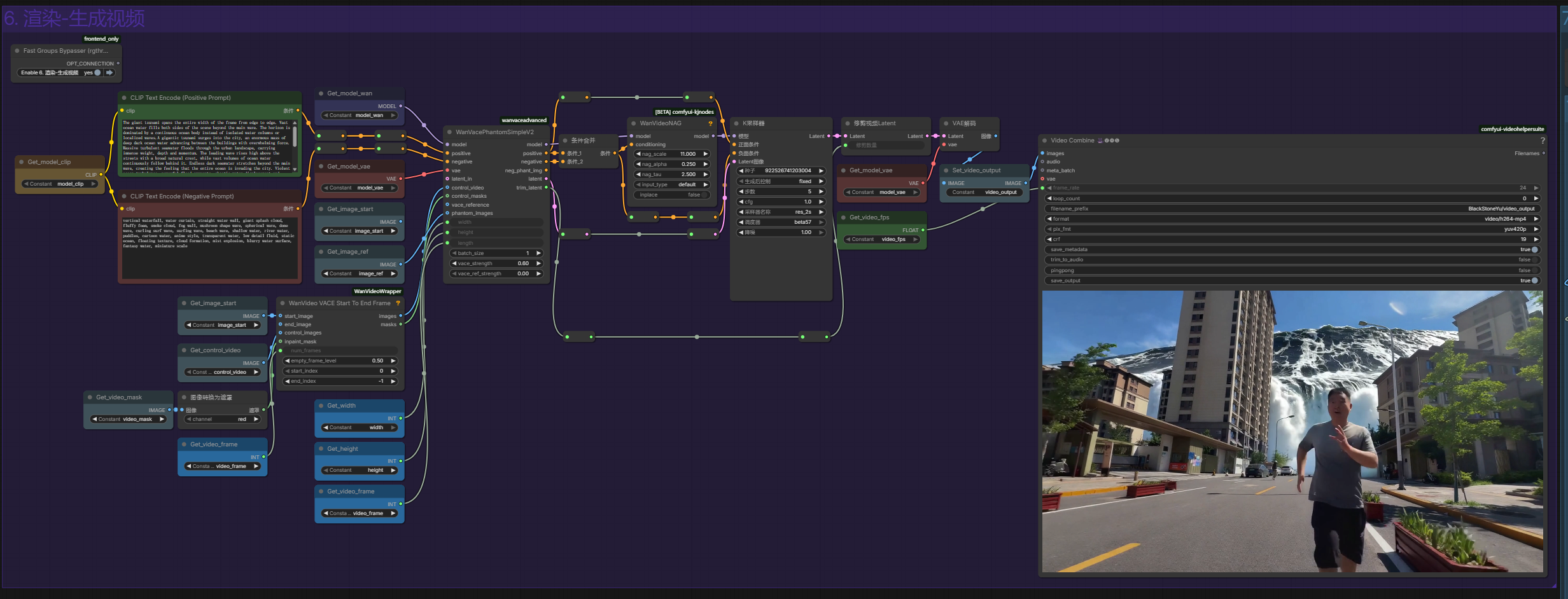
七、优化
早期我一直使用的是nmkd模型对视频进行放大处理,效果只能说还可以。
但nvida的模型出现后,我觉得效果要领先nmkd模型一大截。它可以自由设置分辨率,也能直接选择放大倍数。
通过结果对比,能看出细节处理的真的优秀很多,nmkd偶尔出现的伪影(鬼影)或模糊的情况都近乎完美的解决了。
并且nvida模型放大的速度比马斯克的火箭还要快!
7.2这一组内容是为了解决生成的视频中,人物发生轻微模糊或者人物的色调发生变化等问题!
上传你的素材文件后,通过右侧的sam3节点,通过输入提示词来设置要保留的部分,比如我这里输入的是头部和脖子部分,就可以把我们需要的部分单独保留下来,然后再通过合成节点,它和生成的效果合并到一起,
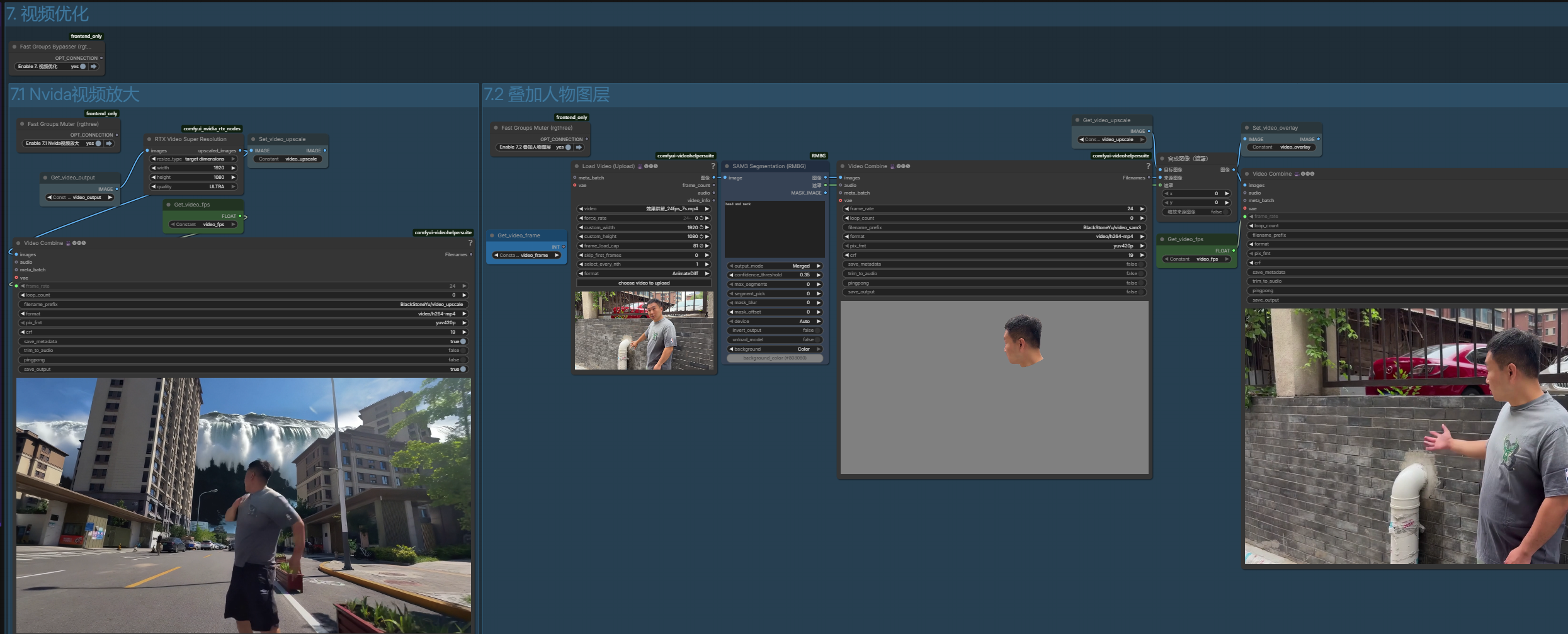
需要同学们自己注意分辨率的问题。
总结
同样的提示词,同样的参考图,
有时候效果很好,有时候却完全跑偏。
经过大量测试后我发现,真正影响最终效果的,往往不是提示词,而是ControlImage的绘制质量。
提示词决定方向。ControlImage决定上限。ControlImage画得越合理,最终效果越稳定。
资源下载
如果你喜欢我的教程,还请在点赞订阅我的B站和油管频道,送出您宝贵的赞赏。
让我更有动力努力下去,也希望你留下宝贵建议,谢谢!